A web-based SCADA (Supervisory, Control & Data Acquisition) platform. Build screens in your browser, run them on any device on your network.
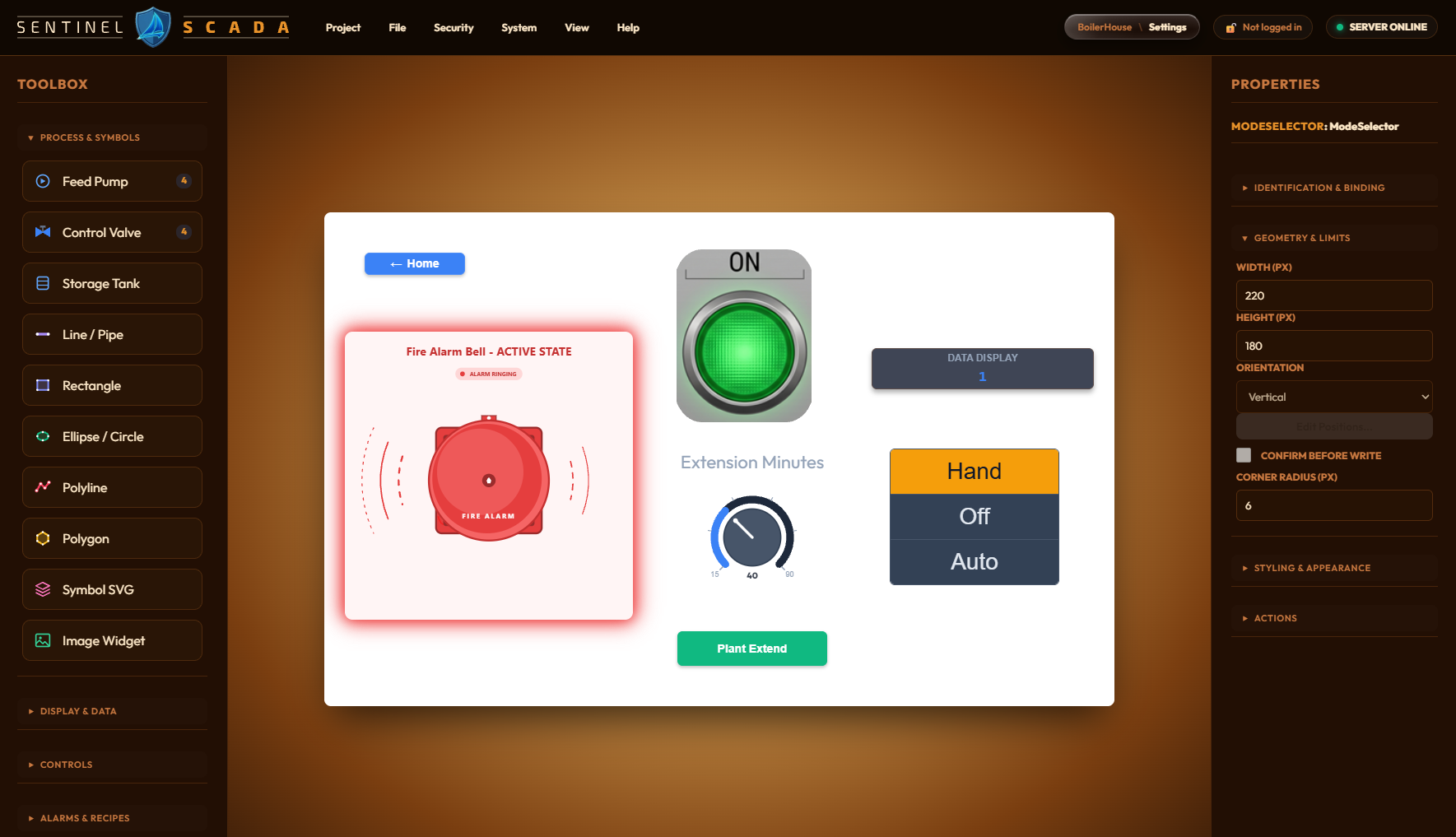
The web designer, shown here in one of its many included colour themes. Screen widgets shown are added when following the Getting Started tutorial as examples.
What it is
SentinelSCADA runs as a background Windows service, managed from a tray application, and is used entirely through a web browser. There is no client software to install. Live tag data reaches the browser over a WebSocket, so screens update as the process does.
Key ideas
Projects — a self-contained SCADA configuration holding its screens, tags, device connections and security settings.
Tags — named data points, such as a temperature, a valve state or a setpoint, bound to devices.
Screens — the visual pages of your HMI, built in the web designer from gauges, trend charts, indicators and control panels.
Drivers — connect to devices. Modbus TCP and the built-in AstroPLC (IEC 61131-3 Structured Text) are supported today (OPC UA planned, and will be included when available).
Alarms — high-high, high, low and low-low limits on any tag, with alarm banner and summary widgets for your screens. Operators acknowledge alarms in Run mode, and every acknowledgement is recorded in the audit trail.
Alarm dispatch — a companion Telegram service takes alarms to people's phones. It messages whoever is on call from your shift rota, and operators can acknowledge with a tap. If nobody does within a time set by the alarm's severity, it escalates to the backup operator, then the manager, and an acknowledgement stops the escalation. It can also post to a shared group for awareness.
Security that scales
XML mode — zero setup, for development and isolated networks.
SQLite mode — an encrypted database with a tamper-evident audit trail, for production sites.
Keycloak mode — enterprise sign-in with a cryptographically signed audit trail, for regulated industries.
A project can be promoted to a stronger mode but never moved back down. Five roles (Anonymous, Guest, Operator, Engineer and Admin) control what each person can do.
21 CFR Part 11 readiness
In pharmaceuticals, biotech, medical devices and cosmetics, electronic records and signatures fall under Title 21 CFR Part 11. SentinelSCADA is built with those technical controls in mind, and ships a published statement that maps each Part 11 requirement to what the software does.
Audit trail you can trust
Everything is recorded — tag writes, logins, failed logins, user changes, configuration and recipe changes, security-tier changes, project switches and shutdown. Each entry holds who, when (UTC), what, the old and new value, the reason, and the signature status.
Append-only — history is never overwritten. A correction is a new row, and the database itself refuses edits and deletes.
Tamper-evident — each record is cryptographically chained to the one before it, so removing, reordering or truncating rows is detected. The server checks this at start-up and refuses to run if the audit database has been tampered with.
Can't be switched off — in Keycloak mode the audit trail is always on.
Electronic signatures
Sign on the action — tags can be marked as requiring a signature. The operator re-enters their password and gives a reason before the write happens.
Only the genuine owner — the signer must be the logged-in user, so one operator can't sign as another.
Signature and record are bound — the signed event is written as a single audit row inside the chain, so a signature can't be lifted onto another record.
Failed attempts are logged — rejected signatures are recorded, with growing delays on repeated failures.
Access and safeguards
Server-side roles — every state-changing request is checked against the user's role on the server, not just hidden in the browser.
Live data is gated too — in Keycloak mode the live-values connection is refused to anyone not signed in, and closed if their session ends.
Write limits — each writable tag can carry a minimum, maximum and step. Out-of-range values are rejected and logged, never silently clamped.
Sessions — idle timeouts end the session, so the next signing needs a full sign-in. Kiosk mode suits locked-down operator terminals.
One-way security ratchet — a project can't be quietly moved to a weaker security regime.
Honest about the boundaries
The FDA does not certify software, so no vendor can honestly sell a “Part 11 compliant” product. SentinelSCADA provides the technical controls; compliance is achieved when you validate the installed system. Our statement says plainly which controls are in the software and which belong to you:
Provided — Operational Qualification test protocols to help with your validation.
Yours — IQ/OQ/PQ on your installation, locking down the data folder, identity proofing, training and SOPs, backup and retention, and your predicate-rule requirements.
For a regulated deployment, use Keycloak mode with HTTPS throughout. For home, non-regulated and other everyday scenarios, the XML and SQLite modes have you covered.